
Security must be considered a fundamental standard for RPA automation projects. To use security information, it is crucial to understand how your team will securely manage the credentials necessary for executing the processes. In this article, we will understand the importance of credential management, highlight its relevance to security, and discuss how to orchestrate this data safely.
What are credentials in RPA automation?
Credentials are information used to authenticate to access systems, applications, or data. It is standard for steps during automation processes to require access to software or websites with a login, for example.
Credentials can be usernames, passwords, API keys, access tokens, and other types of sensitive data. Not exposing this data in the code is a security issue, as well as a good practice. That’s why it’s essential to have what is also called a “password vault.” In other words, a way to manage this data securely.
The importance of credential management
The most critical aspect of credential management in RPA automation is data security. If done improperly, it can lead to security breaches, data leaks, and compromise the integrity of the automated process. Implementing credential management practices makes it possible to reduce the security risks associated with RPA significantly.
In addition to the issue of security, there is also the concern of being in regulatory compliance. Proper credential management ensures compliance with strict regulations on sensitive data in sectors such as healthcare, finance, and governance, avoiding legal penalties.
Another important point related to access control. Even if it is your code, the robot securely accesses the data for authentication and access control can still be carried out. In fact, an excellent practice is to create a credential exclusively for the robot instead of using the credentials of someone who works at the company. This increases security, helps prevent the misuse of confidential information, and can control who accessed the process.
How to manage credentials in BotCity Orchestrator
According to our documentation about credentials in Orchestrator, you can create them securely and later search for the information via the BotCity Maestro SDK to perform the necessary authentications.
In the menu on the left side, inside the “Operation Tools” category, choose the “Credentials” option.

When entering the credentials screen, identify the “New Credential” button. After that, click “Add” to start defining the information as needed and, later, click the “Create” button.

It is necessary to define a label for this storage and add each credential, informing a key and a value. For security reasons, the information is not visible on the screen.
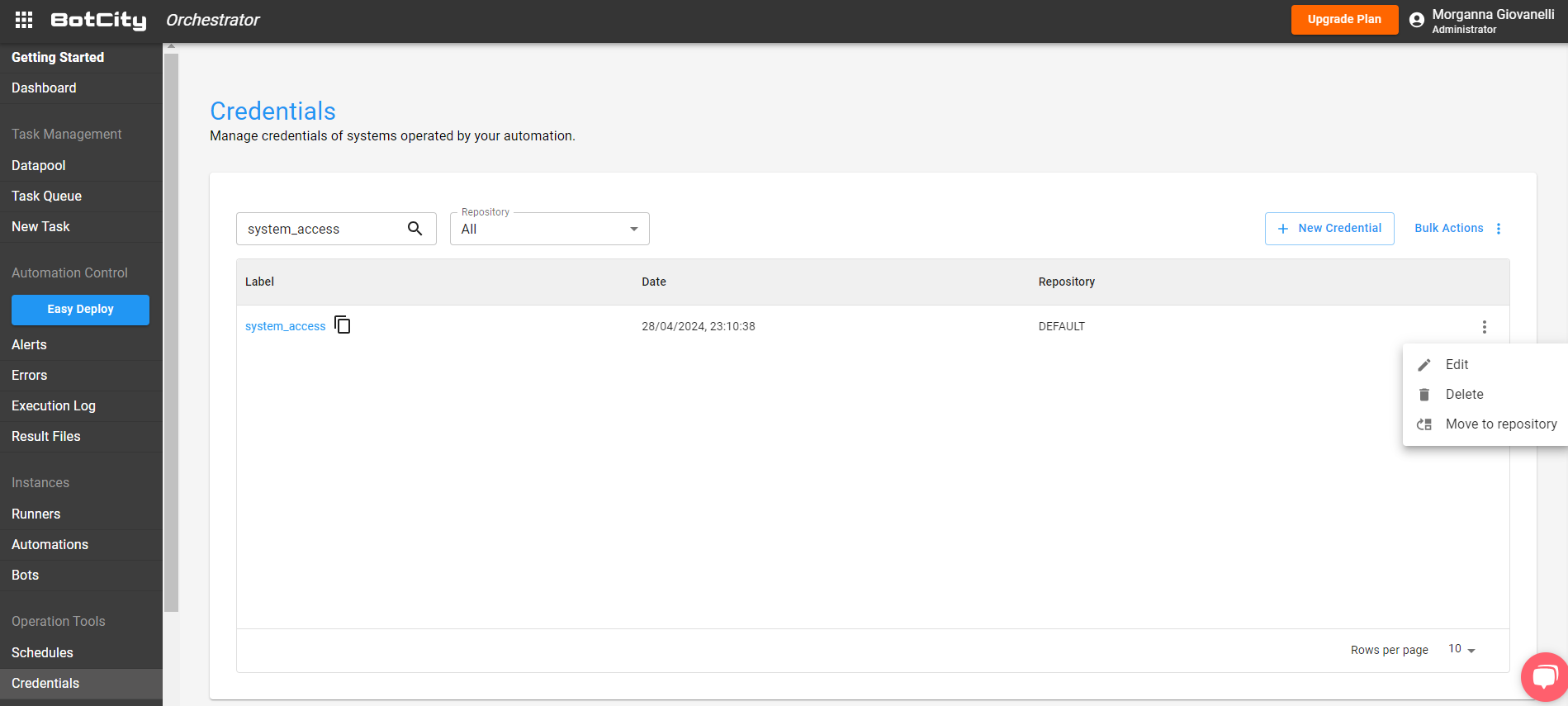
You can identify your created credentials by searching for the name or repository. If you need to, you can edit, delete, and change repositories. Remember that the repository is related to the user groups that will have access to that credential. The users will not access the value but will have access to use it in development.
How to use credentials with the BotCity SDK
If you are not already using the SDK in your code, follow the instructions in the dependency installation documentation , which depends on your project’s programming language.
In the code, import the dependency and create the instance to use it:
# Import for integration with BotCity Maestro SDK
from botcity.maestro import *

# Disable errors if we are not connected to Maestro
BotMaestroSDK.RAISE_NOT_CONNECTED = False

# Instantiating the Maestro SDK
maestro = BotMaestroSDK.from_sys_args()

# Fetching the details of the current task being executed
execution = maestro.get_execution()
To access information for use during any authentication stage of your process, use the following line of code in your automation:
# Accessing credentials in the Maestro
credential = maestro.get_credential(label="system_accesst", key="password")
The “label” is the name of the credential in BotCity Orchestrator, and the “key” is the key you want to use.
Learn more at: SDK documentation – Credentials
Want to test the credentials features?
To do everything we shared in practice, you can create your free account, follow the steps step by step, and test this error management in your use case. Then, join our community to exchange experiences about the world of RPA automation.