In today’s hyperautomation scenario, with the rise of hybrid automation models and multivendor RPA architectures that combine low-code automations with Python-based automations, security is a critical concern. Especially when working with programming languages like Python, where flexibility comes with significant responsibilities for orchestration and governance.
For CoE leaders and RPA developers, ensuring security in Python RPA automations is crucial to protect sensitive data, maintain control over environments and processes, and ensure operational governance. Never put security issues on the back burner, as security breaches can lead to immeasurable costs and damages.
In this guide, we will explore the pillars of security in Python RPA and best practices to ensure governance. Keep reading!
Pillars of security in Python RPA
To safeguard operations in Python, a language increasingly adopted for its versatility and affinity with artificial intelligence, it’s essential to ensure that your automations are not only efficient but also resilient and reliable. Some pillars of security in Python RPA include:
- Access control to sensitive data;
- Isolation of robot execution environments;
- Log, Error, and Alert management;
- Access and permission controls;
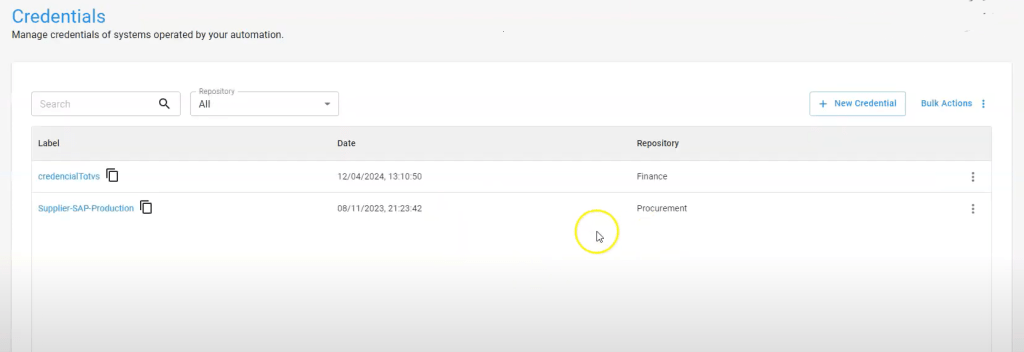
- Credential management;
- Centralization and protection of credentials used in automations;
- Auditing and monitoring.
Now, let’s dive into the best practices automation teams should follow when orchestrating Python-based automations.
1. Data access control in RPA
In business processes involving sensitive data, it is crucial that automations are executed within your infrastructure to ensure full control over where and how data and documents are processed. Consider the following aspects:
Security policy
Check your company’s security policy to understand the restrictions associated with each type of document, ensuring that processing occurs internally according to security standards.
Temporary file deletion
During the execution of automations, it is common for files to be temporarily saved in the execution environment so that robots can access and manipulate data. It is essential that, once the automation is completed, these temporary files are deleted to prevent unauthorized access.
Segregation of data access
As the automation initiative grows, it is natural that the number of people involved increases, so it is necessary to implement a segregation of access to information.
This can be done by dividing access by departments, teams, or groups, ensuring that each individual has access only to the data they are authorized to work with. This helps maintain the integrity and security of the information handled by automations.
2. Environment isolation in RPA
Network segregation is a crucial isolation measure. It is essential that the IT team sets up this segregation so that the RPA robot execution environment has restricted access only to the network resources necessary for automation execution. Here are some best practices to follow:
Access control to VMs
It is vital to establish access control policies for VMs (Virtual Machines), containers, and other execution environments. In some cases, systems may be accessible with continuously logged-in users, which poses a significant security risk. Therefore, it is important to adopt robust management and monitoring practices for all access to execution environments.
Session control
During automation execution, it is important to ensure that only the necessary sessions are active in the operating systems. Implement mechanisms that allow dynamic creation and termination of sessions according to the automation needs to maximize security and efficiency.
3. Log, error, and alert management
Regardless of the process type—whether it’s supplier approval in ERP systems, financial reconciliation, or document issuance—it is crucial to record detailed information during the execution of automations.
Execution logs in Python RPA
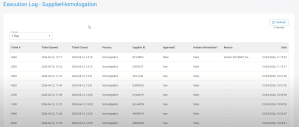
By using logging tools and RPA orchestration tools, it is possible to display and monitor every step of the automation process, allowing the team to view in real-time everything being processed.
In the case of BotCity Orchestrator, from a programming perspective, the development team simply needs to run a Python command to send this data to the orchestrator, facilitating integration and operational transparency. Here’s an example:

Log management is then handled directly on the orchestrator’s dashboard.
Error management in Python RPA
In RPA automation development, errors are more common than in other types of software development, often due to changes in automations, systems, or poorly formatted data entries by users.
The orchestration platform plays a key role in monitoring these errors and notifying the team for quick interventions and necessary adjustments.
This can be easily managed using the platform’s API, such as BotCity’s, which allows sending error commands to facilitate viewing and handling within the orchestrator.

If you’re already using BotCity and want to monitor errors, access the error module to view details such as automation ID, message, automation version, programming language used, and other relevant data.
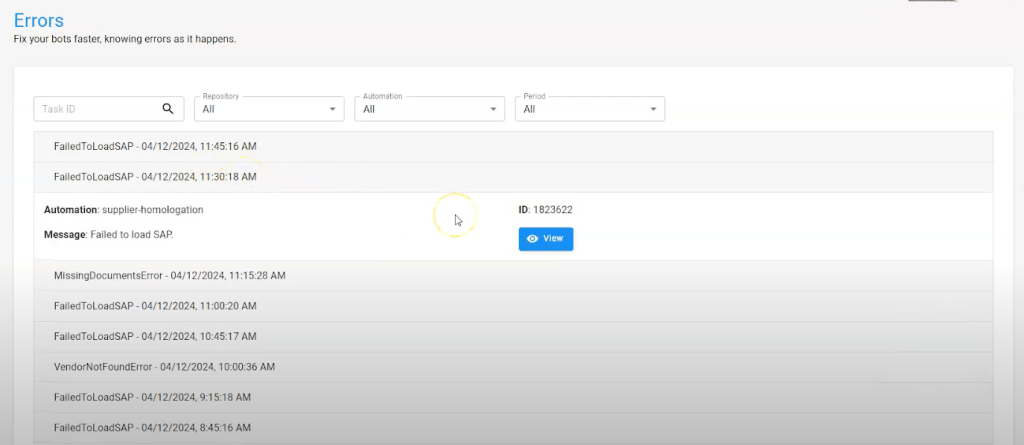
The stack trace indicates the exact line of the error, the screenshot at the time of the error, and tags related to the execution context, as well as attached files that assist in resolving the issue.

Alerts for technical and business users
During the execution of automations, for various reasons, it may be necessary to notify the team about important occurrences. In BotCity, the alert module makes this communication easy. Alerts can be configured to appear on the web interface or sent via API to emails, WhatsApp, and other communication channels.
From a development perspective, it’s simple to implement in BotCity Orchestrator: the developer just needs to insert a Python command to trigger the alert, specifying the alert type and message.